
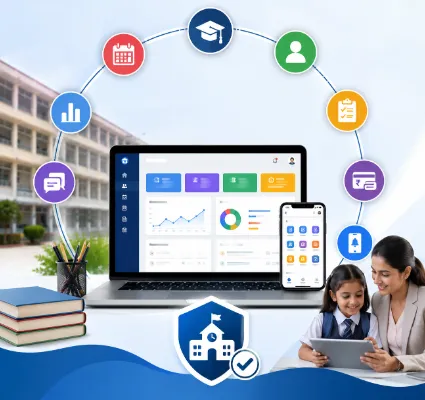
If you run a school, you already know the job is never just about teaching. It's admissions in April, fee reminders in June, exam schedules in October, transport complaints all year round, and a WhatsApp group that somehow becomes the unofficial parent communication channel because nothing else works fast enough.
Most of that isn't a teaching problem. It's an information problem, data scattered across registers, Excel sheets, and three different apps nobody fully trusts. And it only gets worse as a school grows.
That's the gap school ERP software is meant to close. Done right, it pulls admissions, attendance, fees, exams, staff, transport, and communication onto one platform instead of five disconnected ones.
But here's the catch: not every ERP on the market actually delivers that. Some just digitize the chaos instead of fixing it. So before you sign up for a demo, it's worth understanding what a genuinely good school management ERP software looks like and what "best" should really mean for your school, not just for a sales brochure.
This guide walks through exactly that, and looks at where a platform like One Flawless fits into the picture.
ERP stands for Enterprise Resource Planning, a term borrowed from manufacturing and corporate software, which is probably why it sounds more intimidating than it needs to be.
Strip away the jargon and it's simple: a school ERP is one system that talks to every department at once. Student records, admissions, attendance, fees, exams, timetables, homework, library, transport, payroll, and reporting all live in the same place instead of in silos that don't talk to each other.
The better platforms also give students, parents, teachers, and admin staff their own mobile app view so a parent isn't calling the front office to ask if their child was marked present today.
Registers and spreadsheets aren't inherently bad. They just don't scale. A school with 150 students can run on paper and willpower. A school with 1,500 usually can't not without someone quietly burning out in the admin office.
Here's what actually changes when a school moves to an integrated system:
Staff stop drowning in repetitive entry work: Attendance gets logged once, fee receipts generate themselves, and exam data doesn't need to be typed into three different spreadsheets by three different people.
Information stops living in silos: Need a student's fee history, attendance record, and last report card? It's one search, not three phone calls to three departments.
Parents stop chasing the school for basic updates: Notifications, results, and fee dues reach them directly instead of getting lost in a paper diary.
Errors go down: Manual entry is where duplicate records, wrong marks, and missed payments quietly creep in. Automation doesn't eliminate mistakes, but it catches a lot of the ones that cost real time to fix later.
Leadership actually sees what's happening: A dashboard showing attendance trends, fee collection status, and performance data beats guessing based on whoever complained loudest that week.
Here's something worth saying plainly: the number of modules on a pricing page tells you almost nothing about whether a system will actually work for your school. Plenty of ERPs look comprehensive in a demo and fall apart in daily use because the interface is clunky, support is slow, or it simply wasn't built with Indian school workflows in mind.
When you're comparing options, these are the things that actually matter.
Every ERP claims to manage student data. The real test is retrieval: can a front-office staffer pull up a transfer certificate, ID card, or fee status in seconds, or is it buried four menus deep? Our Student Information System is built around exactly this: centralized records with quick document generation for ID cards, fee certificates, and TCs.
Registration, document collection, verification, enrollment admission season is chaotic enough without half of it happening over phone calls and screenshots. A structured digital workflow turns that into something trackable.
Manual attendance registers are a compliance risk waiting to happen. Biometric integration removes the guesswork entirely. We support biometric attendance capture for staff, logging entry and exit times automatically rather than relying on end-of-day manual updates.
Fee disputes are almost always a communication failure, not a payment failure: a parent genuinely doesn't know what's due, or a receipt got lost. A good fee module handles structures, collections, invoices, and receipts, and just as important gives parents visibility so the school office isn't fielding the same three questions every week. Our covers fee collection, invoicing, and financial documentation as part of its accounting module.
Marks entry, grading, remarks, report cards is one of the most time-consuming clerical processes in any school calendar, and it's also one of the easiest to automate well. We handle the full cycle, from marked entry through to report card printing.
This one matters more than schools often expect. If the parent app is slow, ugly, or missing basic information, adoption dies within a month and everyone's back to phone calls. Look for coverage of attendance, fees, homework, results, timetable, circulars, and transport in one place which is the scope Our mobile app is built around.
Teachers and support staff need their own attendance, leave tracking, recruitment records, and salary processing. One Flawless bundles HR, payroll, and staff attendance into the same system rather than treating it as a bolt-on.
Routes, stops, and student-to-vehicle assignments should be manageable without a separate spreadsheet; this is a standard part of Our transport module.
Book inventory, issues, and returns are simple to track but easy to lose in a separate tool. Keeping it inside the main ERP means one less login for staff to remember.
If your leadership team is still compiling manual summaries from five different exports, that's exactly the job dashboards exist to remove.
Don't start with a vendor comparison. Start with your own school.
Get specific about what's actually broken: Is attendance still on paper? Are fee records living in someone's personal spreadsheet? Is parent communication scattered across calls, notes, and group chats? Write the actual pain points down before you look at a single product page.
Match modules to real needs, not a feature checklist: It's tempting to pick whatever has the longest list of capabilities. Resist that. A smaller school doesn't need enterprise-grade complexity it will never use.
Sit through a real demo and use it like your staff would: Don't just watch a salesperson click through slides. Ask to see the attendance flow, the fee receipt process, the parent app. If it looks confusing to you in a 20-minute demo, it will be worse for a teacher trying to use it between classes.
Ask about growth, not just today: New branches, more students, more staff will the system hold up, or will you be migrating again in three years?
Check what it connects to: Biometric devices, RFID, GPS for buses, online payment gateways, your school website, WhatsApp. If the ERP can't talk to tools you already use, you're creating new silos instead of closing them. One Flawless offers integrations across biometric, RFID, GPS, payments, website, WhatsApp, POS/barcode, and mobile.
Don't skip the boring question: what happens after you buy it? Onboarding, staff training, data migration from your old system, and how fast support actually responds when something breaks these matter more, day to day, than any single feature on the sales page.
We have built its School ERP and LMS around closing the exact gaps most schools run into: admissions, student records, attendance, exams, fees, academics, staff, payroll, transport, library, assignments, and reporting, all inside one platform, with a mobile app that mirrors the same coverage for parents and students.
By the numbers on its own site, the platform is currently being used across 100+ schools, supporting 500+ teachers and 10,000+ students across 10+ locations — which suggests it's held up under real, varied school environments rather than just a controlled demo setting.
If any of the pain points above sound familiar, it's worth booking a personalized walkthrough rather than judging the fit from a features page alone — every school's actual bottlenecks are a little different.
Picking the best school ERP software for schools in India isn't really about ticking off the longest feature list. It's about finding a system your staff will actually use without a fight, that centralizes information instead of just digitizing the mess, and that can grow with your school instead of needing to be replaced in a few years.
If your school is still running on paper registers, scattered spreadsheets, and a patchwork of apps that don't talk to each other, that's usually the clearest sign it's time to make the switch.
What is the best school ERP software for schools in India?
It depends on your school's size, budget, and specific pain points. Before deciding, evaluate how well a platform handles student management, admissions, attendance, fees, exams, academics, staff, mobile access, integrations, and support and how responsive the vendor is after the sale.
What features should a school ERP actually have?
At minimum: student records, admissions, attendance, fee management, exam and result processing, academic planning, staff and payroll tools, transport, library, communication, dashboards, and a mobile app.
How does an ERP actually help teachers day to day?
It cuts down time spent on attendance registers, manual lesson logs, and result compilation giving teachers a single place to manage academic and administrative tasks instead of juggling multiple tools.
Can parents use it too?
Yes — most modern ERPs, including One Flawless, include a parent-facing app covering attendance, fees, homework, results, timetables, and notifications.
Is this overkill for a small school?
No, but sizing matters. Smaller schools should look for a platform that scales with them rather than paying upfront for enterprise features they won't touch for years.
Why not just use separate tools for each function?
Because that's exactly the fragmentation an ERP is meant to fix. Separate systems mean duplicate data entry, inconsistent records, and more logins for staff to manage an integrated platform removes most of that friction.