
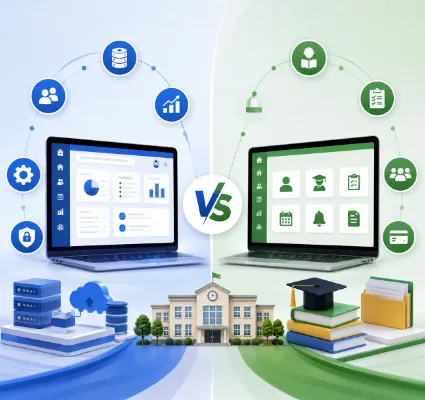
If you've started shopping for education technology, you've probably run into these two terms and wondered if they even mean different things: school ERP and school management software.
Fair question. On the surface, they look like they're selling the same promise to get your school off paper and spreadsheets, onto one screen. But once you start comparing platforms, you'll notice real gaps in what's included, how deeply the pieces talk to each other, and how far the system can grow with you.
That gap matters more than it seems. Pick the wrong one, and in two years you're either paying for modules nobody uses, or bolting on three extra tools because the software you bought can't keep up with your school.
So let's actually break this down into what each term means, where they overlap, where they diverge, and how to figure out which one fits your school right now.
ERP stands for Enterprise Resource Planning, a term borrowed from the business world, where it originally meant pulling finance, inventory, HR, and operations into one shared system instead of a dozen disconnected ones.
Schools adopted the same logic. A school ERP takes the day-to-day work of running an institution admissions, student records, attendance, fees, exams, staff, payroll, transport, communication and runs it through a single connected platform instead of scattering it across spreadsheets, notebooks, and standalone apps.
A well-built school ERP typically covers:
Admissions and enrollment
Student information management
Attendance tracking
Fee collection and accounting
Examination and results management
Academics, lesson planning, and assignments
Library and inventory
Transportation management
Staff records, HR, and recruitment
Payroll
Dashboards, reporting, and mobile access
One Flawless, for instance, is built as a School ERP & LMS platform admissions, academics, exams, fees, staff, transport, inventory, library, HR and payroll, attendance, dashboards, and lesson planning all sit inside one system rather than a pile of separate tools.
The real point of an ERP isn't any single feature on that list. It's that the pieces are wired together. A student's attendance record, fee status, exam results, and communication history all live in one profile instead of four different logins.
School management software is the broader, looser term. It covers any platform built to digitize school administration and academics but the scope varies wildly from one provider to the next.
Depending on who you talk to, "school management software" might mean:
Student records and admissions
Attendance
Fees
Exams and timetables
Homework and assignments
Parent communication
Basic reporting
Some tools do a handful of these things really well. Others try to cover everything an ERP does but under a different name. That's exactly why the two terms get used interchangeably in marketing: the label tells you less than the actual feature list does.
Here's the short version: school management software digitizes your school's activities. School ERP software connects them.
Take attendance as an example. A basic management tool lets a teacher mark who's present. A proper ERP takes that same attendance entry and automatically feeds it into parent notifications, student reports, staff attendance comparisons, and even biometric device logs without anyone re-entering data anywhere.
Or take fees. A simple tool records a payment. An ERP ties that payment to the student's fee structure, generates the invoice and receipt, updates the financial ledger, and makes the record visible to parents all from one entry.
So it's rarely about one system "having" a feature the other lacks. It's about how far that feature reaches into the rest of your school's operations.
Management software usually gives you a student profile with admission info, attendance, and academic history attached. An ERP goes further that the same profile becomes the hub that fees, exams, transport, and communication all plug into. If you're tired of pulling up four screens to answer one parent's question, this is where the ERP pays off.
Basic tools log applications and enrollment paperwork. ERPs carry that admission record forward automatically into the student's permanent file fees, academics, and communication all inherit it without manual re-entry. Worth it if your admission season involves a lot of moving parts.
Most platforms can mark who showed up. ERPs connect that entry to parent alerts, staff attendance, reporting, and hardware like biometric scanners One Flawless includes biometric integration as part of its attendance module, for schools that want hands-off accuracy.
A basic fee tool logs payments and prints receipts. An ERP links that transaction to the student's fee structure, your accounting books, invoicing, and online payment gateways so your finance team isn't reconciling three systems every month.
Simple platforms manage schedules, marks, and report cards. ERPs connect exam data straight into student profiles, teacher workflows, and parent communication, so results don't sit isolated from everything else happening with that student.
Some management tools handle one or two of these. A comprehensive ERP threads lesson plans, assignments, exams, attendance, and communication into a single academic thread per class and per student. One Flawless bundles lesson planning and assignments directly into its core ERP functionality.
Bare-bones tools might just hold employee profiles. A full ERP links staff attendance, leave, recruitment, and payroll generation together, genuinely useful once you're managing more than a handful of employees. One Flawless covers all of this natively.
Coverage here depends heavily on the provider; some offer only basic route info. ERPs typically fold transport into the same system as student records, so route assignments and student data stay in sync.
Book inventory, issuing, and returns are common in both categories. The difference is whether library activity connects back to the student's central file or sits off in its own silo.
Announcements and notifications are standard everywhere. What sets an ERP apart is triggering communication automatically from other events — a missed fee deadline, a low attendance mark, a new exam result — instead of someone manually typing out a message. One Flawless runs separate portals for admin, teachers, parents, and students so each group only sees what's relevant to them.
Don't just ask "is there an app?" ask what the app actually lets people do. A mobile app that only shows announcements isn't the same as one where a parent can check fees, attendance, homework, exam results, and the transport route in one place. One Flawless's mobile app is built around that fuller feature set.
This is where ERPs tend to pull ahead. If your school already uses biometric devices, RFID cards, GPS-tracked buses, WhatsApp for parent updates, or a POS system in the canteen, an ERP is far more likely to plug into all of it. One Flawless currently supports biometric, RFID, GPS, online payments, WhatsApp, POS/barcode, and website integrations.
Standalone tools give you reports per module attendance here, fees there. An ERP dashboard pulls it all into one view, so a principal can see the state of the whole school without hopping between five logins. One Flawless's dashboards are built to surface exactly that kind of cross-department summary.
A lean management tool might cover everything a small school needs today. But schools grow new campuses, more staff, added departments and that's usually when the limits of a narrow tool start to show. An ERP is built with that growth in mind from day one.
Here's a scenario a lot of schools will recognize: staff attendance sits in one system, leave requests come in through email or a spreadsheet, and payroll gets calculated separately at month-end. Someone on your admin team is manually cross-checking all three every single cycle and every manual step is a chance for a number to go wrong.
An integrated platform collapses that into one flow. Attendance and leave feed directly into payroll. No re-typing, no reconciling, no chasing down a spreadsheet that's three versions out of date.
The same logic applies on the student side. One admission record can carry forward into attendance, fees, exams, assignments, and transport instead of being re-typed into four different systems by four different people.
Less manual work: Fewer repetitive, error-prone data entry tasks for your staff.
One source of truth: Information lives in a single place instead of scattered files and half-updated spreadsheets.
Faster access: The right people find the right information without digging.
Smoother communication: Teachers, parents, and students stay connected through one channel instead of five.
Real visibility: Dashboards give leadership an honest, current picture of how the school is running.
Less duplicated effort: Connected workflows mean fewer people doing the same task twice.
Access from anywhere: Mobile apps mean the school office isn't the only place work happens.
Room to grow: New modules and integrations can be added as your needs change, instead of switching platforms entirely.
Not every school needs the full stack. If your needs are genuinely limited — student records, attendance, basic fees, exams, and parent communication — a focused management tool might do the job just fine, and cost less while you're at it.
The goal isn't to buy the biggest system on the market. It's to avoid paying for modules you'll never touch.
If you're trying to manage admissions, attendance, fees, exams, academics, staff, HR, payroll, transport, library, inventory, accounting, communication, and reporting and you're tired of doing it across separate tools that's the point where a connected ERP starts to earn its cost back in saved time alone.
If you're evaluating vendors, these are the things worth spending real time on:
How easy is it to actually roll out?
A powerful system nobody adopts is worse than a simple one everyone uses.
Does the mobile experience hold up?
Parents and teachers increasingly expect to do everything from their phone.
How well does it handle fees and payments?
Look closely at receipts, invoicing, and online payment support.
Does attendance match how your school actually runs?
Manual, biometric, RFID check it supports your process.
What can it integrate with?
Biometric, RFID, GPS, payments, WhatsApp, your website the more it connects, the less you juggle.
How's data handled?
Ask about access controls, backups, and data protection directly.
Name your actual pain points: Where is the staff wasting the most time? Are student records scattered? Is fee tracking a mess? Is communication with parents falling through the cracks?
Sort your needs into tiers.
Must-have: student management, admissions, attendance, fees, exams
Should-have: academics, assignments, communication, mobile app, staff management
Nice-to-have: payroll, HR, transport, inventory, library, biometric/RFID/GPS, online payments
Check what it actually connects to: your existing devices, systems, and processes.
Get your own staff to test-drive it: not just watch a demo. A feature-rich system that confuses your teachers isn't a win.
Think three to five years out: not just this term.
Ask about support: onboarding, training, data migration, and what happens when something breaks.
One Flawless is built as a School ERP & LMS platform, covering student management, admissions, attendance, exams, fees, academics, lesson planning, assignments, staff and HR, payroll, transport, library, inventory, accounting, dashboards, and communication all inside one connected system, with mobile access and integrations for biometric, RFID, GPS, payments, WhatsApp, POS/barcode, and your school website.
That said, no platform is the right fit purely on paper; it's worth mapping it against your school's actual workflows and team before committing.
There's no universal winner between school ERP and school management software, only what fits your school right now.
If your needs are narrow and well-defined, a focused management tool can serve you well without unnecessary cost or complexity. If you're trying to bring admissions, academics, finance, HR, and operations under one roof, an integrated ERP is where the real time savings show up.
Either way, the decision shouldn't come down to which label sounds more impressive. It should come down to how much integration, automation, and room to grow your school actually needs and how much manual work you're ready to hand off to software instead of your staff.
Before you sign anything, take a hard look at: required modules, ease of use, mobile access, integrations, data security, reporting depth, scalability, customization, implementation support, and total cost of ownership. Get those right, and the right platform tends to make itself obvious.
What's the real difference between school ERP and school management software?
Management software generally digitizes individual school activities. ERP software connects those activities into one centralized, automated system.
Is ERP software always the better choice?
Not automatically it depends on your school's size, budget, existing tools, and how complex your operations actually are.
What should I look for in a school ERP?
Student management, admissions, attendance, fees, exams, academics, staff and payroll, transport, library, inventory, communication, reporting, mobile access, and integrations.
Can parents actually use a school ERP?
Yes — most modern platforms include a parent-facing app or portal covering attendance, fees, homework, results, and notifications.
Is a full ERP overkill for a small school?
Not necessarily - small schools can absolutely use one, as long as they pick modules based on real, current needs plus reasonable growth, not just because a feature exists.
Why do integrations matter so much?
They let your different systems and devices biometric scanners, payment gateways, communication apps actually talk to each other instead of operating in isolation.
How do I pick the right one for my school?
Start with your actual pain points, define which modules are essential versus nice-to-have, test the interface with your own staff, and confirm the vendor offers solid onboarding and support.
Can an ERP replace all the separate apps my school currently uses?
Often, yes — largely. How much depends on the ERP's module coverage, its integrations, and how specific your school's requirements are.