Why the "best" school app is the one parents actually open
Here's something most app vendors won't tell you: plenty of schools pay for an app that most parents stop opening after the first month. The school sends a notice on the app, nobody reads it, and the class teacher ends up forwarding it on WhatsApp anyway.
So when schools search for the best school mobile app in India, the real question isn't "Which app has the most features?" It's this: which app will parents, teachers and the principal actually use every day, without being chased?
That answer depends on a few simple things. Does it show parents what they care about the moment they open it? Is it quick on a basic Android phone? Does it save teachers time instead of adding one more thing to do? And does it connect to the rest of your school's systems, so data isn't typed in twice?
This guide walks you through the features that matter for each user, the different types of school apps on the market, how pricing usually works, and the questions to ask before you sign. By the end, you'll have a simple checklist to judge any app, including ours.
What makes a school app genuinely good
A school app isn't one app. It's really four, because parents, teachers, principals and students each need something different. The best apps get each of those right.
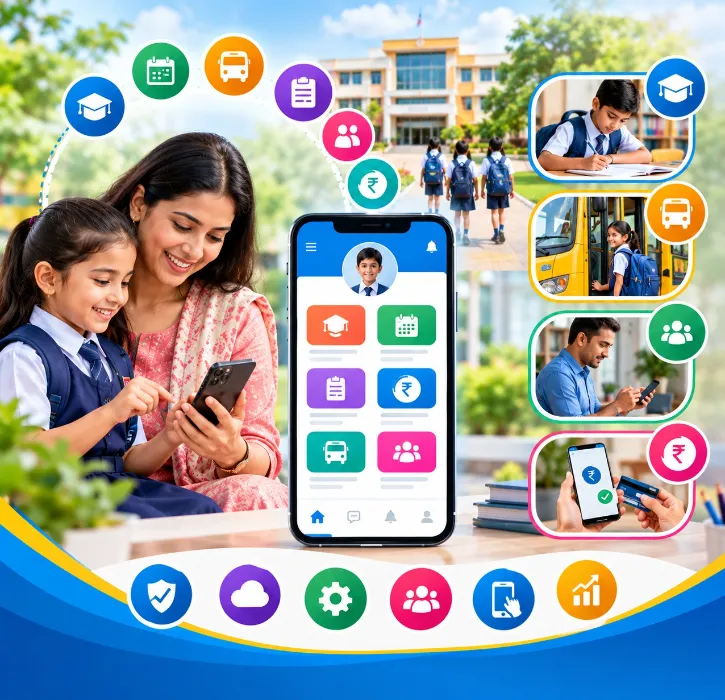
For parents: answers in one glance
Parents open the app for a reason, usually a quick one. The best apps put these right up front:
-
Attendance alerts: A message the same morning if their child is marked absent.
-
Fee dues and payment: See what's pending and pay by UPI, card or net banking in a few taps through online fee payment, with an instant receipt.
-
Homework and class notes: What was taught today and what's due tomorrow.
-
Results and report cards: Marks the day they're published, not when the paper copy comes home.
-
Notices and circulars: Holidays, PTMs and events, with no hunting through chat groups.
-
Bus tracking. Where the bus is and when it'll reach the stop, through GPS bus tracking.
-
Leave requests: Apply for a child's leave without writing a note in the diary.
If parents have to tap through four menus to find any of these, they'll stop opening the app.
For teachers: less work, not more
Teachers are the make-or-break users. If the app feels like extra work, they'll quietly go back to registers and WhatsApp. Look for:
-
Attendance in under a minute per class, right from the phone.
-
Homework posting with photos or PDFs, sent to the whole class at once.
-
Marks entry that flows straight into report cards.
-
Class diary and remarks parents can see.
-
Leave applications and payslips for the teacher's own use, which is a small perk that builds goodwill.
For principals and management: the school on one screen
The principal shouldn't have to call the office for basic numbers. A management app should show today's attendance, fee collection and pending dues, admission enquiries and staff present, all at a glance.
For students: simple and focused
Older students benefit from seeing their own timetable, homework, study material and results. Keep it simple: a student app crowded with features gets ignored.
Features that separate good apps from great ones
Beyond the basics, these details make a real difference in Indian schools:
-
Works well on basic phones and slow internet: Many parents use entry-level Android phones with patchy data. Test the app on one before you buy.
-
Hindi and regional language support: for notices and key screens, so every family can follow along.
-
Connected to the school ERP: If the app isn't linked to your school ERP software, someone will be typing the same data twice. That's how mistakes creep in.
-
WhatsApp as a backup channel: Some parents will never open an app. WhatsApp integration lets you send official alerts there without running messy class groups.
-
One login for siblings: Parents with two or three children shouldn't need separate accounts.
-
Clear privacy controls: Parents should only ever see their own child's information.
Wondering whether you need an app at all, or whether WhatsApp groups are enough? We compared both honestly in School App vs WhatsApp Groups.
The three types of school apps you'll come across
When you start comparing, you'll notice apps fall into roughly three groups.
|
Type |
What it is |
Good for |
Watch out for |
|
Communication-only apps |
Notices, messages and homework, with no link to fees or records |
Very small schools that only need announcements |
Data lives separately from attendance and fees, so staff enter things twice |
|
ERP-linked school apps |
The mobile side of a full school management system |
Most schools that want attendance, fees, results and notices in one place |
Make sure the app is actually easy to use, not just a shrunk-down website |
|
Branded custom apps |
An app published under the school's own name and logo |
Large schools and groups that want their own identity on parents' phones |
Higher cost, and check who controls the app store listing if you change vendor |
For most Indian schools, an ERP-linked app gives the best balance. Parents get everything in one place, and teachers don't do the same work twice.
How school app pricing usually works
Prices vary a lot, so it helps to know the common models before you compare quotes:
-
Included with the ERP: The app comes as part of your school management software subscription.
-
Per student per year: You pay based on enrollment. This is common for ERP-linked apps.
-
Add-on fee: The ERP is priced separately and the app is an extra.
-
One-time setup plus yearly fee: This is common for branded custom apps.
Watch for extras that quietly add up: SMS packs, WhatsApp message charges, payment gateway fees, GPS device costs and charges for each additional campus. Ask for a full written quote. Our honest guide to school ERP cost in India explains what's often left out.
8 questions to ask before you choose
Take this list into every demo:
-
Can I see the parent app on a basic Android phone, not the vendor's laptop?
-
What does a parent see in the first five seconds after opening the app?
-
How long does a teacher take to mark attendance for one class?
-
Is the app linked to fees, attendance and results, or does data need to be entered separately?
-
Which alerts go by app, SMS or WhatsApp, and what does each cost?
-
Is the app available on both Android and iOS?
-
How do you protect student data, and can parents see only their own child? Our post on the DPDP Act and student data covers what to ask.
-
What help do you give us to get parents to sign up?
That last question matters more than most schools expect.
Getting parents to actually use it
Even the best app fails if parents don't sign up. These simple steps make a big difference:
-
Launch at a PTM. Set up a help desk and log parents in on the spot.
-
Make one thing app-only. Results or fee receipts on the app are the fastest way to get every parent signed in.
-
Send a short guide in Hindi and English with screenshots.
-
Stop posting official notices on WhatsApp groups once the app is live. Otherwise parents have no reason to switch.
-
Track active users monthly and follow up with classes that lag behind.
The One Flawless school app
One Flawless is a cloud-based school management software built in India and used by 100+ schools. Its school mobile app is the phone side of the full ERP, so everything a parent sees comes straight from the school's live records. Nothing is typed twice.
-
Separate apps for management, teachers, parents and students, on Android and iOS.
-
Parents get attendance alerts, fee dues with online payment, homework, results, notices and live bus tracking.
-
Teachers mark attendance, post homework and enter marks from their phone.
-
Management sees attendance, collections and pending dues at a glance.
-
Integrations with WhatsApp, GPS, biometric and RFID devices, so alerts reach parents however they prefer.
-
A Delhi-based team that helps you launch the app to parents and trains your staff.
Put it through the same eight questions above. In the demo, we'll open the parent app on a regular Android phone, mark attendance as a teacher, and show you the absence alert arriving. If you have a specific need, such as a particular language or a branded app, ask us directly and we'll tell you honestly what's possible.
Conclusion
The best school mobile app in India isn't the one with the longest feature list or the flashiest design. It's the one parents open every day, teachers find faster than their register, and principals trust for live numbers. That usually means an app that's simple on a basic phone, fully linked to your ERP, and backed by a team that helps you get parents on board.
Use the checklist in this guide with every vendor, including us. The right choice will become obvious quickly.
See the app on a real phone. Book a free One Flawless demo or call +91 73036 23733.

