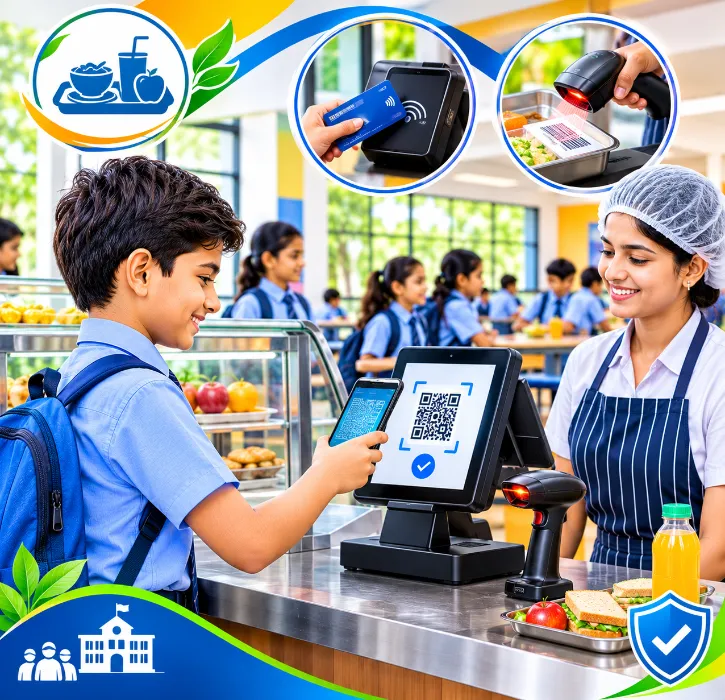
A school canteen at lunch break is one of the busiest counters in India. Hundreds of children, ten minutes, small notes and coins, and staff trying to give change while the queue grows. At the end of the day, the cash rarely matches the sales, and parents have no idea what their child actually bought.
A cashless canteen, run through your school management software, tackles all of that. Students pay with their ID, purchases are recorded automatically, and the accounts office gets clean figures without counting coins.
This guide explains how it works, what options exist and what to check before you switch.
The short answer
A cashless school canteen typically uses:
- a point-of-sale (POS) system at the counter, with menu items and prices set up in advance;
- a student identifier, usually a barcode or card on the student ID, to record who is buying;
- a payment method that doesn't need cash, such as a prepaid balance topped up by parents, or charges added to the fee account;
- reports for the canteen manager, accounts office and, where the school chooses, parents.
When the canteen runs inside your school management software, each sale is linked to the student's record, so parents and the school see the same information.
Why schools move away from cash
Cash causes problems for everyone.
For students: money gets lost, younger children struggle with change, and some feel awkward when they can't buy what friends buy.
For canteen staff: making change slows the queue, and reconciling cash at day's end takes time.
For the school: cash creates a risk of leakage and makes accounting harder.
For parents: there's no way to know whether lunch money was spent on lunch.
A cashless system addresses all four.
How a cashless canteen works
At the counter
-
The student shows their ID card at the counter.
-
Staff scan the card's barcode or tap the card, which identifies the student.
-
Staff select the items on the POS screen, or scan item barcodes for packaged goods.
-
The sale is recorded against the student, and payment is taken from the chosen method.
With practice, each sale takes a few seconds, much faster than counting change.
Paying without cash
Schools use different models. Choose based on your parents and your accounting set-up.
- Prepaid balance: Parents top up an amount online; purchases are deducted. Things to consider: needs clear rules for low balances and refunds.
- Monthly billing: Purchases are added to the student's account and billed monthly. Things to consider: easy for parents, but dues can build up.
- Meal plans: A fixed plan for meals, with extras billed separately. Things to consider: common in boarding schools; needs plan management.
- Mixed: Meal plan plus prepaid balance for snacks. Things to consider: flexible but more to manage.
Whatever model you choose, decide in advance what happens when a balance runs out. Most schools allow a small negative balance for meals, so no child goes hungry because a parent forgot to top up.
Spending limits and food rules
Many parents want some control. Depending on the system, schools may offer:
- daily spending limits;
- restrictions on certain items, such as fried snacks or sugary drinks;
- allergy flags on the student record, shown to canteen staff at the counter.
These options vary widely between systems, so see them working in the demo rather than assuming they exist.
What the accounts office gains
For accounts, a cashless canteen means:
- every sale recorded with date, time, item and student;
- daily sales reports that match payments, without cash counting;
- stock levels updated as items sell, if the canteen is linked to inventory;
- clear figures for any canteen contractor settlement, if an outside vendor runs the canteen.
If your canteen is run by a contractor, agree on how sales data will be shared and how settlements work before you go live.
What parents gain
Parents can see:
- what their child bought and when;
- their current balance or monthly bill;
- top-up options through online payment.
This visibility often leads to useful conversations at home about food choices. As with any student data, keep it private to the family.
Hardware you'll need
A typical counter set-up includes:
- a POS terminal or a computer or tablet with POS software;
- a barcode scanner or card reader;
- a receipt printer, if you want printed receipts;
- a reliable internet connection, with a plan for what happens during an outage.
If your student ID cards already have barcodes or RFID chips for attendance, ask whether the same card can be used at the canteen.
Food safety, nutrition and allergies
A cashless system changes how students pay. It doesn't change what they eat. But it can help the school keep its food policy and protect students with allergies.
Allergy flags: If a student has a serious allergy recorded in their health information, the canteen system can show a warning when that student's card or ID is used. Canteen staff only need to see the warning, not the full medical record. Ask the vendor whether this is possible and how access is controlled.
Food rules for younger students: Some schools limit what junior students can buy, for example only meals and fruit, not packaged snacks. Look for a way to set these rules by class or age group.
Healthy food policy: FSSAI has regulations on food sold in and around schools, and many boards and states issue their own guidance. Check the current requirements that apply to you. Sales reports from a cashless system make it much easier to see what students actually buy and whether your menu matches your policy.
Hygiene: Removing cash from the counter is a small but real hygiene improvement, since staff handling food no longer handle notes and coins.
Running costs and who pays
Before launch, decide who covers each cost:
- Hardware, such as billing terminals, scanners and receipt printers;
- Cards or tags, if students don't already have ID cards that can be scanned;
- Payment gateway charges on parent top-ups;
- Replacement cards for lost or damaged ones.
Some schools absorb all costs as part of the service. Others charge a small top-up fee or a replacement-card fee. Whatever you decide, tell parents clearly before launch. Surprise charges cause more complaints than the charges themselves.
If the canteen is run by an outside contractor, agree in writing who owns the sales data, how and when the contractor is paid, and what happens to student balances if the contract ends.
A demo checklist for canteen management
- A sale using a student's ID card: Speed and accuracy at the counter.
- Packaged items sold by scanning their barcode: Fast checkout for snacks.
- A parent topping up a balance: Online payment flow.
- A student with a low balance at lunch: Your policy, applied correctly.
- An allergy flag shown at the counter: Safety for children with allergies.
- Today's sales report: Clean figures for accounts.
- What the parent sees on the app: Visibility of purchases and balance.
- The counter during an internet outage: What happens, and how sales sync later.
Rollout tips
- Pilot with one group such as senior students, then extend to the whole school.
- Tell parents early about how top-ups work and what happens with low balances.
- Keep a short-term cash fallback for the first few weeks.
- Train canteen staff on the POS before the first lunch break, not during it.
Measuring whether it's working
After the first term, check a few simple measures: how long the lunch queue takes, how many parents top up online, how many students forget their cards, how sales have changed and whether complaints have gone up or down. Share the results with the canteen team and parents, and adjust the setup where needed.
Review the figures with the canteen operator every month rather than only at the end of the year. Look at which items sell, where queues build up, how many students fall into low balances and how often parents ask for refunds. Small adjustments, such as pre-packed snacks at peak times or a second counter during lunch, often make a bigger difference than any new hardware.
How One Flawless supports the school canteen
One Flawless is a cloud-based school management software built in India and used by 100+ schools. Canteen management is one of its administration modules, and it works with:
- POS and barcode integration at the counter;
- student records shared across the ERP;
- online payment for parents;
- inventory management, for stock;
- the mobile app for parent communication.
Cashless canteens can be set up in different ways, and features like prepaid balances, spending limits and parent purchase history depend on the set-up. In the demo, tell us how you want your canteen to work, and we'll show you what's supported and what isn't.
A short pilot first
Before going fully cashless, pilot the system with one or two classes for a few weeks. Watch the queue, test top-ups and card scanning, and collect feedback from students, parents and canteen staff before rolling out.
Conclusion
A cashless canteen makes lunch faster for students, simpler for staff, cleaner for accounts and more transparent for parents. The technology is straightforward: a POS, a scanner and a student ID. What matters is choosing the right payment model, setting clear policies and connecting it all to your school management software.
Want to see a canteen sale on a student ID? Book a free One Flawless demo or call +91 73036 23733.