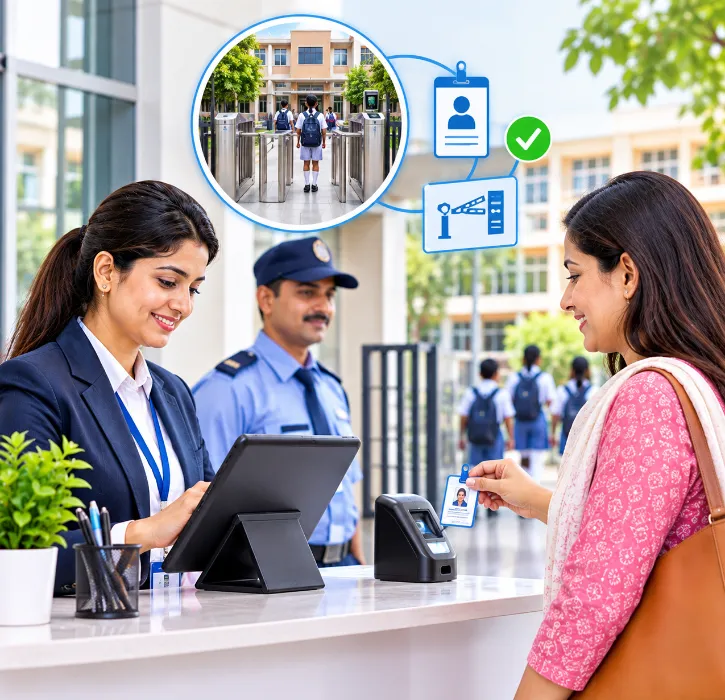
Every school has a visitor register at the gate. Most of them look the same: a thick notebook, a pen on a string, and entries that become harder to read as the day goes on. Names are half-written, phone numbers are missing, and nobody records when visitors actually leave.
That register is supposed to answer a simple question: who is on campus right now? In practice, it rarely can.
Visitor management inside your school management software turns the gate register into a live record. This guide explains how it works and what to look for.
The short answer
A school visitor management system should let reception or security staff:
- record every visitor with name, phone number, purpose and the person they're meeting;
- check with the host (teacher, office or principal) before the visitor goes in;
- issue a gate pass, printed or digital;
- record exit time, so you know who is still on campus;
- handle early student pickups with a check against authorised guardians;
- keep searchable records for any later query.
Because it's part of the school management software, it can use student and staff records directly, instead of a separate list.
Why the paper register isn't enough
The paper register has three weaknesses.
It can't tell you who is inside: Exit times are rarely recorded, so the register lists who came in, not who is still there.
It can't be searched: If a parent complains about a visit last month, someone has to flip through pages of handwriting.
It doesn't connect to anything: The guard can't easily check whether the person collecting a child early is actually authorised to do so.
For a place responsible for hundreds of children, those gaps matter.
How a digital visitor process works
Here's a typical flow.
-
Arrival: The visitor gives their name, phone number and purpose at reception. Returning visitors can be found by phone number, so details aren't retyped.
-
Host check: Reception selects who they're visiting. The host can be informed and confirm, so no one walks in unannounced.
-
Gate pass: The visitor receives a pass, printed or shown on screen, with their name, host, purpose and time.
-
On campus: Reception can see a live list of visitors currently inside.
-
Exit: The visitor's exit is recorded when they leave. Anyone still inside at the end of the day shows up on the list.
Some schools also capture a photo or ID detail at entry. Whether you do this depends on your school's policy and on data protection considerations, discussed below.
Common visitor types and how to handle them
Different visitors need different handling. The software should let you record the type of visit.
- Parents meeting a teacher: Record which teacher they're meeting, the appointment time and the exit time.
- Admission enquiries: Can be passed straight into the admissions enquiry list.
- Vendors and contractors: Record the company, the area they'll work in and how long they expect to stay.
- Delivery staff: Usually kept at reception; no campus access.
- Guests and officials: Record the host, the purpose of the visit and any escort.
- Early pickup of a student: Check the guardian's identity and authorisation, get approval and record the time.
Recording admission enquiries at reception is especially useful. If the visitor management system is connected to admissions, an enquiry recorded at the gate can go straight into your admission management pipeline.
Early pickups: the most sensitive moment
When a parent or relative arrives to take a child home before school ends, staff must be sure the person is allowed to collect that child.
A good process includes:
- an authorised guardian list for each student, ideally with photos, held in the student record;
- approval from the class teacher or office before the child is called;
- a record of who collected the child, when and why;
- a notification to the parents that their child has left school early.
Ask vendors exactly how they handle early pickups. If the answer is "the guard can write it in remarks", the process isn't really supported.
Staff and contractors
Visitor management isn't only for outsiders. Some schools also record:
- regular contractors such as maintenance or canteen suppliers;
- staff entering outside working hours;
- temporary staff or substitute drivers.
If staff attendance is recorded through biometric or RFID devices at the gate, those records can sit alongside visitor records, giving the office a fuller picture of who is on campus.
Privacy: collect only what you need
A visitor register holds personal data, and photos or ID numbers make it more sensitive. India's DPDP Act and its Rules will shape how organisations, including schools, handle personal data, with key obligations applying from May 2027.
Practical steps:
- collect only what you need: a name, phone number and purpose may be enough for most visitors;
- limit access to visitor records to reception, security and the office;
- decide how long to keep records, and delete old ones on schedule;
- tell visitors why you're collecting their details.
Our post on the DPDP Act and student data has more on this.
Emergencies and drills: knowing who is on campus
During a fire drill or a real emergency, the person in charge needs to know who is on the campus right now. Students and staff are on the attendance lists. Visitors are the gap. A parent in a meeting, an electrician in the server room and a guest speaker in the auditorium all need to be accounted for.
A digital visitor log can answer that question in seconds. Check that the system can:
- show a live list of visitors currently on campus, with where they were going and whom they came to meet;
- record check-out times, so the list stays accurate;
- be accessed from a phone, in case the reception desk itself has to be evacuated.
Include visitors in your evacuation drills. Ask reception to pull up the live list and hand it to the person managing the assembly point, and see how long it takes.
Admission season and events
Some days bring far more visitors than usual: admission open days, parent-teacher meetings, annual day, sports day and board exam centres. Reception can't take a detailed entry for hundreds of parents arriving at once.
Plan ahead for these days:
- Pre-registration: For admission visits and meetings, ask parents to book a slot in advance, so their details are already in the system and check-in takes seconds.
- Separate entry routes: Use a different gate or desk for event guests, with a simpler process, while normal visitors continue as usual.
- Event passes: For events with tickets or invitations, check passes at the gate rather than taking full visitor details.
- Extra staff: Assign extra staff to the gate on busy days, so security doesn't slip because the queue is long.
Admission visitors also deserve a good first impression. A quick, organised check-in, with a staff member ready to meet them, tells prospective parents a lot about how the school runs.
A demo checklist for visitor management
- A returning parent arriving at reception: Found by phone number, no retyping.
- A visitor for a teacher: Host is informed before entry.
- The list of visitors currently on campus: Live view, not just entries.
- A visitor leaving: Exit time recorded.
- An early pickup by a grandparent: Guardian check, approval and parent notification.
- An admission enquiry at reception: Flows into the admissions list.
- Search for visits from last month: Quick, searchable history.
Rollout tips
- Start with the main gate: Add other entry points once the process works.
- Train reception and security together: They need to agree on who does what.
- Collect guardian details before launch: Ask parents to confirm authorised pickup persons through the app or a form.
- Explain the change to parents: A short note helps them understand why the gate process has changed.
Reviewing the visitor log
A visitor log is only useful if someone looks at it. Ask the administrator to review it weekly for unusual patterns, such as the same person visiting often without a clear reason or visitors who never checked out, and act on anything that looks wrong.
It also helps to review the log after any unusual event, such as a parent dispute at the gate, a lost-property claim or an unexpected visitor during exams. A quick look at who entered, when and whom they met usually settles the question in minutes. Share the findings only with the people who need them, and use any gaps you notice to tighten the process for next time.
How One Flawless supports visitor management
One Flawless is a cloud-based school management software built in India and used by 100+ schools. Visitor management sits inside its reception management modules, alongside admissions. Related features include:
- student records with parent and guardian details;
- admissions, so enquiries recorded at reception can be followed up;
- staff and student attendance, with optional biometric and RFID integration;
- parent communication through the app, SMS, email and WhatsApp.
In the demo, walk us through your current gate process, including early pickups, and we'll show you how it would work, including anything that would need a workaround.
Conclusion
The school gate is where safety starts. A visitor register that can't say who is inside, or confirm who may collect a child, leaves your staff relying on memory at exactly the wrong moments.
Moving visitor management into your school management software gives you a live, searchable record and a consistent process for every visitor, especially for early pickups.
Want to see a digital visitor process at your gate? Book a free One Flawless demo or call +91 73036 23733.