What Is School ERP Software? A Plain-English Guide for Schools
Ask any principal what eats their day and you'll rarely hear "teaching." You'll hear fee follow-ups, admission files, attendance registers that don't match the office copy, and a parent on the phone asking why she wasn't told about tomorrow's PTM.
None of that work is difficult on its own. The trouble is that it lives in ten different places: a register here, an Excel sheet there, a WhatsApp group nobody can search, and a cupboard full of admission forms. When information is scattered like that, even a simple question ("How many days was Aarav absent this month?") turns into a fifteen-minute treasure hunt.
That's the problem school ERP software exists to solve. If you've been hearing the term in vendor calls and nodding along without being totally sure what it covers, this guide is for you. We'll keep it jargon-free and honest, including the part about when a school doesn't need one.
So what does "school ERP" actually mean?
ERP is short for Enterprise Resource Planning. The phrase comes from the corporate world, where big companies use it to run finance, HR, inventory and sales on one system instead of five.
A school's "resources" look different, of course. They're students, teachers, fee ledgers, timetables, exam records, school buses and a few thousand parents who want updates. But the idea is the same.
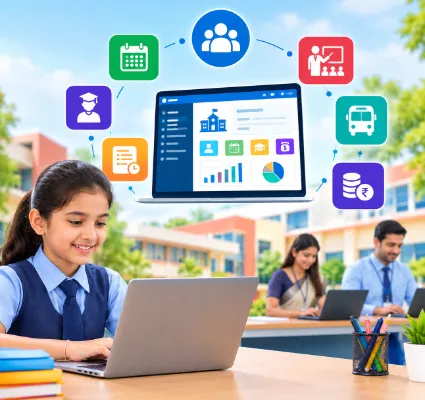
Here's the school ERP meaning in one line: a single software platform that holds your school's academic, administrative, financial and communication work in one connected place.
The word to notice is connected. Plenty of schools already own software. They have a fee package, an attendance app, a spreadsheet of student data, and a messaging tool. What they don't have is one system where those things talk to each other. That's the gap an ERP fills.
Why schools started looking for something better
Manual systems don't fail all at once. They fail slowly, as the school grows.
At 200 students, a register and a good office assistant are enough. At 800, the same assistant is spending her mornings reconciling three copies of the same fee data. At 1,500, the principal is making decisions on numbers that are two weeks old because nobody had time to compile the report.
A few symptoms show up almost everywhere:
-
The same student detail is typed into four different places, and at least one is wrong.
-
Parents call the office for things they should be able to see on their phone.
-
Fee defaulter lists take days to prepare and are outdated by the time they're printed.
-
Report card season means late nights with calculators and correction fluid.
-
Management asks a basic question and waits a week for an answer.
If two or three of those sound familiar, you already understand why schools go looking for school management software. The ERP label just describes the integrated version of it.
How school ERP software works, in practice
The simplest mental model: think of an ERP as a shared database with different doors for different people. Everything sits in one place, but each user only sees the rooms they need.
The front office: handles enquiries, admissions, student records, documents and notices.
Teachers: mark attendance, upload lesson plans, assign homework, enter marks and message parents.
The accounts team: sets fee structures, records payments, issues receipts and pulls defaulter lists.
The principal and management: open a dashboard and see admissions, attendance, collections and staff data without asking anyone to prepare anything.
Parents and students: use a school mobile app to check attendance, homework, results, bus location and fee dues, and to pay online.
The magic isn't in any single feature. It's that a student's record, created once at admission, flows everywhere it's needed afterwards. Attendance, marks, fees, transport, communication: all tied to the same profile, updated in one place.
The "one connected system" idea, with a real example
Let's follow a new student, Priya, through a school that runs on an ERP.
-
Her parents fill an online admission form. Her profile is created automatically.
-
She's assigned to Class 6-B. Her name now appears in the class teacher's attendance list.
-
Accounts apply the Class 6 fee structure to her profile. An instalment schedule is generated.
-
Her first unit test marks are entered against the same profile. Her report card pulls from there.
-
She's added to Bus Route 4. Her parents can now track the bus on the app.
-
The school sends a circular. Priya's parents get it as a push notification and on WhatsApp.
Nobody re-typed her name. Nobody emailed a spreadsheet to another department. That's what "integrated" means when it isn't a buzzword.
What a school ERP typically manages
Modules vary between vendors, but the core set is fairly consistent. Here's a quick tour.
Student management: The central profile: personal details, parent contacts, class and section, documents, academic history, status. This is the spine everything else hangs on.
Admissions: Enquiry, registration, application, document upload, verification and enrolment, all trackable in one pipeline instead of a pile of forms.
Attendance: Daily student and staff attendance, with reports and parent alerts. Schools that want to remove manual marking altogether can add biometric or RFID devices that feed the ERP directly.
Fees:Fee heads, instalments, concessions, receipts, outstanding reports and reminders. Online fee payment lets parents pay from the app while the school gets a clean digital trail.
Examinations: Schedules, marks entry, grading rules, report cards and performance analysis. One Flawless, for instance, generates result cards automatically once marks are in.
Academics: Lesson planning, timetables, homework, assignments and curriculum tracking. Teachers can plan the term and log progress in the same place.
Communication: Notices, circulars, SMS, email, push notifications and WhatsApp, sent from one screen instead of six group chats. One Flawless runs this through a dedicated communication portal for admin, teachers, parents and students.
Transport: Routes, stops, drivers, vehicles and student allocation, with GPS bus tracking so parents can see where the bus is.
Staff and payroll: Employee records, staff attendance, leave, recruitment, appraisals and salary processing.
Reports and dashboards: The layer management actually uses: live views of admissions, attendance, fee collection, academic performance and staffing.
You won't need all of these on day one, and that's fine. A good ERP lets you switch on modules as you grow.
Who uses it, and what each person gets
One of the biggest misunderstandings about ERP is that it's "software for the office." It isn't. The value spreads across the whole school community.
-
Management gets visibility. Real numbers, today, without chasing anyone.
-
Teachers get their evenings back. Attendance in two taps, report cards generated rather than hand-written.
-
Admin staff stop being human photocopiers moving data between systems.
-
Accounts gets reconciliation that takes minutes instead of days.
-
Parents get answers on their phone instead of phoning the office.
-
Students get timetables, homework and results in one app.
When a vendor demos their product, ask to see it from each of these seats. A system that's great for the admin but painful for teachers won't get used.
The real benefits (not the brochure version)
Every vendor promises "efficiency." Here's what schools actually notice in the first term.
-
Data gets entered once. Which means it's wrong in one place at most, and fixed in one place too.
-
Questions get answered faster. A parent asks about attendance; the answer is on the screen, not in a register on the second floor.
-
Fee follow-up becomes routine. Automated reminders go out on schedule. Defaulter lists are a click away.
-
Report cards stop being a crisis. Marks go in through the term; results come out on time.
-
Parents feel informed. A school mobile app with notifications does more for parent trust than any number of printed circulars.
-
Management stops flying blind. Decisions are made on this morning's numbers, not last month's.
Does every school need an ERP?
Honestly, no.
A 150-student school with one section per class, a single accountant and a principal who knows every family by name can run happily on registers and a spreadsheet. Buying an ERP there is like buying a truck to carry groceries.
The tipping point is usually a combination of size and pain. You're ready when:
-
You've crossed roughly 400–500 students or added a second branch.
-
Staff spend more time reconciling data than using it.
-
Parents are complaining about communication, not just occasionally but regularly.
-
Fee collection or result preparation reliably causes a crunch every term.
-
Management wants reports the office can't produce quickly.
If you're there, delaying the decision usually costs more than the software does. If you're not, bookmark this and revisit next year.
What to look at before you choose one
The longest feature list is rarely the best choice. What matters is whether the system fits your school. A short checklist:
-
Ease of use: Can a teacher who's never seen it mark attendance in under a minute?
-
The right modules: Not the most; the ones that match your daily pain.
-
Mobile access: Parents and teachers live on their phones. Test the app, not the screenshots.
-
Integrations: Payment gateway, biometric devices, RFID, GPS, WhatsApp, your school website.
-
Security: Who can see what, and how is student data protected and backed up?
-
Scalability: Will it still work at twice your size, or with three branches?
-
Support and training: What happens in the first 90 days, and after?
-
Customisation: Can fee structures, exam patterns and report cards be set up your way?
For a deeper dive into the buying process, see how to choose the best school ERP software in India, and for what it actually costs, school ERP price in India.
Is a school ERP the same as an LMS?
No, and the confusion is common.
A Learning Management System is about teaching content: courses, videos, quizzes, online classes. A school ERP is about running the institution: admissions, records, fees, attendance, exams, staff, transport, communication.
Some platforms bundle both. One Flawless includes live class management inside its academic module, for example. But if a vendor pitches "ERP" and shows you only a video library, that's an LMS wearing a bigger name.
People also use "school ERP" and "school management software" interchangeably. There's a nuance, and we've covered it in School ERP vs School Management Software, but for most buyers the practical difference is integration depth.
Where to go from here
If you take one thing from this guide, make it this: school ERP software is a way to connect work that's currently disconnected. It doesn't replace your team. It removes the copying, chasing and compiling that keeps them from doing the job they were hired for.
Start by writing down the three things that waste the most time in your office right now. Then judge any ERP, ours included, on whether it fixes those three. Everything else is nice to have.
If you'd like to see how One Flawless handles admissions, fees, attendance and the parent app in a school your size, book a free demo. Bring your real questions; a generic walkthrough won't tell you much.

