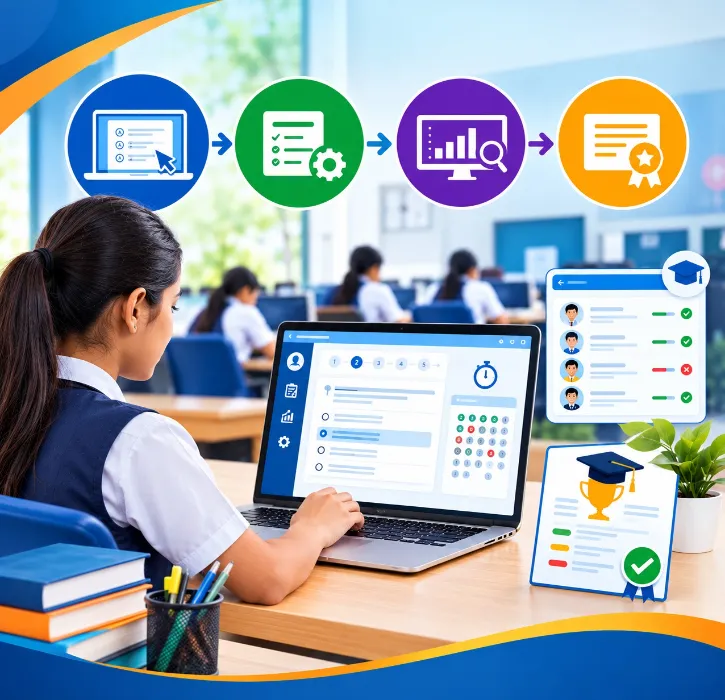
Every term, the same quiet marathon plays out in schools across the country. Teachers enter marks on paper, someone copies them into a spreadsheet, formulas get checked and rechecked, grades are calculated, report cards are formatted one by one, and then everyone prays the totals are right before parents see them. It swallows days of staff time, and one wrong formula can send a whole class's results out incorrectly.
Online Exam and Result Management Software exists to end that marathon. It centralises scheduling, marks entry, grading, result processing and report cards, and connects all of it to the student's record. In this guide I'll explain how it works and what actually matters when you're choosing one.
What exam and result management software does
In plain terms, it's a digital system for the whole examination cycle: exam schedules, subjects, marks entry, grades, teacher remarks, result processing, report cards and performance reports.
On its own it solves one headache. Inside a full school ERP system, it does more, because exam data becomes part of the student's permanent academic record, sitting alongside their attendance, fees and profile. One source of truth, not a spreadsheet that lives on one teacher's laptop.
1. Exam planning
It starts with the schedule. The software lets you lay out the exam name, dates, times, classes, subjects, invigilating teachers and rooms in one place. For a school juggling unit tests, terminals and finals across a dozen classes, a central schedule saves a surprising amount of back-and-forth. Everyone's working from the same calendar.
2. Marks entry that teachers don't dread
Teachers need a clean, fast way to enter marks, with sensible validation so a slip of the finger doesn't record 95 as 955. The fewer clicks between opening the screen and saving a class's marks, the more likely teachers are to use the system properly instead of keeping their own parallel register.
3. Automatic result processing
This is where manual methods fall apart. Calculating totals, percentages and grades by hand, across hundreds of students and multiple subjects, is slow and error-prone. Software applies your configured rules, total marks, percentage, grades, pass and fail criteria, and processes results consistently. The exact rules follow your school's academic framework, whether that's a CBSE grading scale or your own scheme. The machine does the arithmetic; your team does the judgement.
4. Report cards in your format
Once results are processed, the system generates report cards in your school's layout, complete with student details, subjects, marks, grades, attendance, teacher remarks and overall performance. CBSE and ICSE schools especially should insist that board-format report cards are built in, not sold later as a pricey "customisation." Formatting hundreds of cards by hand is exactly the kind of work software should erase.
5. Parent access to results
Parents now expect to see results on their phone, not wait for a printed card at the end of term. A parent app that shows results, with the right controls over when they're published, keeps families in the loop and cuts the flood of "has the result come out?" calls to your office. If you're thinking about how parents get everything else too, our comparison of the school app versus WhatsApp groups is relevant here.
6. Performance reports that help teaching
Beyond individual results, management and academic heads can use reports to spot patterns across classes, subjects, students and exam periods. Which subject is dragging across a grade? Which class improved after a teaching change? Good reports turn exam data into something your academic team can act on, not just file away.
7. Accuracy, with human checks intact
Centralising marks and automating calculation cuts the repetitive errors that creep into spreadsheets. But let me be clear: software doesn't replace oversight. You still want a review and approval step before final results go out. The system removes the drudgery and the arithmetic mistakes; your teachers and exam committee still sign off. Any vendor who implies results can go out with zero human review is selling you risk.
What to check before you buy
Run every exam module through this list:
-
Exam scheduling across classes and subjects
-
Fast, validated marks entry for teachers
-
Configurable grading that matches your scheme
-
Automatic result processing
-
Report cards in your board's format
-
Teacher remarks on report cards
-
Parent access with publish controls
-
Academic performance reports
-
Clean data export
-
Role-based permissions, so only the right people edit marks
That last one matters. Marks are sensitive. Not every user should be able to change them, and there should be a record of who did.
Why integrate exams with your ERP
A standalone exam tool fixes one problem and then sits in its own corner. The real value shows up when exam data joins the rest of the student's story. Picture the connected view:
Student profile → attendance → exams → results → parent communication
Suddenly a report card can show attendance alongside marks, results flow straight to the parent app, and a student's academic history lives in one place from admission to graduation. That connected record is why schools increasingly choose a full school ERP software platform over a lone examination app. If you're weighing a single tool against the whole platform, our guide to ERP versus management software is a good primer, and the general buying guide covers how to evaluate any platform properly.
Examinations shouldn't be a term-end emergency. With the right software, scheduling, marks, grading, report cards and communication become a steady workflow instead of a scramble. Judge any solution on the whole cycle, not one flashy feature, and make sure it bends to how your school actually examines.
One Flawless handles the full examination cycle, scheduling, marks entry, grading, board-format report cards and parent access, all tied to the student's record in one cloud platform built for Indian schools. The best way to see it is on your own exam structure. Book a free demo and we'll run your grading scheme and report card format live.

