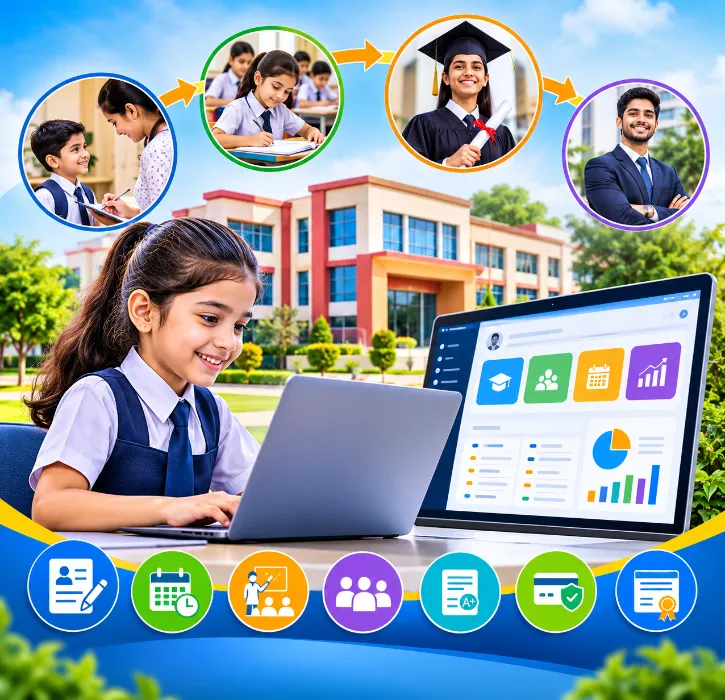
Every student who walks through your school gate leaves a long trail of information behind. It starts with an enquiry call about nursery admission. Then comes the admission form, the birth certificate, and parent contact numbers that will probably change more than once. Over the years, it grew into thousands of attendance entries, stacks of report cards, quarterly fee receipts, sports certificates, counsellor notes and, finally, a transfer certificate.
Now imagine a parent walks in today and asks for something from five years ago. A fee receipt from Class 4. Attendance records from Class 6. A copy of an old report card. How quickly could your team find it?
In most schools, the answer is, “We’ll have to check with the concerned department.” And that’s exactly where the problem lies. The admission office keeps one set of records, teachers keep another, and the accounts team keeps a third. Everyone is doing their job, yet a student’s complete story is spread across registers, files and spreadsheets that don’t talk to each other.
The Best School ERP Software fixes this by treating a student’s time at your school as one continuous journey, not seven separate processes. In this blog, we’ll walk through each stage of that journey, what good software should do at every step, and how to set it up without overwhelming your staff.
What Is the “Student Lifecycle,” Really?
It’s simply the full path a student takes with your school. Every school does things a little differently, but the stages usually look like this:
-
Admission enquiry and application
-
Registration and enrolment
-
Class allocation and onboarding
-
Daily classes and attendance
-
Exams and performance tracking
-
Student support and wellbeing
-
Graduation and alumni connection
Here’s the catch. Each stage creates information that other departments need later. The details the admission desk collects are used by class teachers, the accounts team, the transport in-charge and the principal’s office.
When these stages are connected, information is entered once and flows forward. When they’re not, the same details get collected, typed and checked again and again, by different people, often with different results.
Why a Connected Student Database Matters So Much
One student, one record
A child who joins in Class 1 and stays till Class 12 builds up a long history: family details, admission documents, class and section changes, attendance, results, fee payments, academic progress and support records.
If all of this lives in separate places, your staff waste time hunting for it. With one central student information system, it’s all in a single profile, ready when you need it.
No more typing the same thing four times
The admission team enters a parent’s name and phone number. Then accounts types it again. Then the class teacher adds it to her list. Every repeat is extra work and another chance for a typo. A connected system lets that information move across modules automatically, based on how your school sets it up.
Everyone sees what they need, and nothing more
A class teacher needs attendance and marks. The accountant needs fee details. The counsellor needs wellbeing notes. Role-based access means each person gets exactly what their job requires. Information is easier to reach, but sensitive data stays protected.
Stage 1: Admissions That Don’t Fall Through the Cracks
The student journey starts before the child ever enters a classroom. Parents research, compare and call. How you handle that first contact shapes how they see your school.
Keep every enquiry in one place
Enquiries come from your website, phone calls, walk-ins and sometimes WhatsApp. If they’re noted on scraps of paper or in a register, follow-ups get missed, and so do admissions.
A digital admission module lets your team record parent and student details, the class they’re interested in, requirements and enquiry status, all in one organised view. You’ll know exactly who to call back and when.
Let parents register online
Online registration means fewer paper forms and fewer errors from bad handwriting. Parents fill in their details at home, at their own pace, and your team gets clean, organised data. If your website is connected through school website integration, the process feels smooth from the very first click.
Connect admission with everything after it
This is where many schools lose time. Once a child is admitted, their details are needed for class allocation, attendance, fees and parent communication. Good School ERP Software carries that information forward automatically, so nobody has to start from scratch. It’s one of the most important things to check during a demo.
Stage 2: Onboarding and Building the Student Profile
Admission is just the starting point. Now the student needs to be properly set up in your system.
A profile that works as a single reference
A digital student profile can hold identification details, parent or guardian information, admission records, class and section, contact numbers and academic history. When a parent asks for a bonafide certificate or the board asks for records, it’s all right there.
Class and section allocation
Which section a child is placed in affects timetables, teacher assignments, attendance and exam seating. When allocation happens inside the same system, all of those connect automatically.
Student services that aren’t handled on WhatsApp
Students and parents regularly need things: certificates, document copies, academic help and other requests. When these come through informal messages, they get forgotten. A proper student services workflow makes sure every request is logged, assigned and closed.
Stage 3: Running Daily Academics Smoothly
This is where most of the school year actually happens, and where teachers feel the paperwork pressure most.
Timetables everyone can see
Building a timetable means juggling classes, teachers, subjects and periods. And it changes whenever someone goes on leave. A digital timetable keeps everyone on the latest version. Teachers and students can check their schedules from their phones.
Lesson plans that management can actually track
Teachers can plan what to teach and when, and coordinators can check progress without collecting physical files. It brings a lot of clarity to curriculum planning, especially across multiple sections.
Homework parents can see
Teachers post homework and assignments. Students know what’s due. Parents can see it too, instead of relying on the diary that may or may not come home. It works best when shared through a parent app and communication portals.
Support for online and blended learning
If your school runs live online classes or blended learning, live class management tools help you schedule and run them within the same platform, rather than managing yet another separate app.
Stage 4: Attendance That Tells You Something
Attendance isn’t just a daily formality. It’s one of the earliest signs that a child may be struggling.
Faster daily marking
Paper registers across 30 or 40 sections take time to collect and add up. Digital attendance lets teachers mark it in seconds, and the office sees it instantly.
Spotting patterns early
Here’s where digital attendance really pays off. If a child has been absent every Monday for six weeks, you’ll see it now, not at the end of the term. You can call the parents early and talk about it before it becomes a bigger problem.
Biometric and RFID options
Some schools use biometric devices or RFID integration to cut down manual marking. These can work well, but check device compatibility, your actual use case and data protection needs first. Hardware alone won’t solve anything without the right setup behind it.
Parents stay in the loop
Most parents want to know their child reached school safely and is attending regularly. Attendance alerts through the mobile app give them that peace of mind, and save your office a lot of calls.
Stage 5: Exams, Marks and Report Cards
Conducting exams is the easy part. The hard part is everything around them.
Planning exam schedules
Exam timetables need coordination across subjects, classes, teachers and the academic calendar. Doing it digitally makes clashes easier to catch and changes easier to share.
Marks entry without the chaos
Teachers enter marks once. The system adds them up, applies your grading rules and prepares the summary. No more late nights compiling mark sheets in Excel.
Report cards in your format
The system generates report cards based on your school’s assessment structure, whether CBSE, ICSE, state board or your own pattern. Less stress during result week for everyone.
Seeing progress over years, not just one exam
One bad test doesn’t tell you much. Five years of results tell you a lot. When academic history is stored in one place, teachers and parents can have better, more informed conversations about where a child is heading.
Stage 6: Student Wellness and Personal Growth
Good schools know that marks are only part of the picture. How a child feels, copes and grows matters just as much.
Keeping wellness records organised and private
A student wellness module helps schools organise the care information they choose to keep. This data is sensitive, so access should be limited to the right people, such as the counsellor, the class teacher or the principal, with proper privacy safeguards.
Coordinating support
When a child needs help, whether academic, emotional or something else, a clear process makes sure the right people know and follow up. Software helps with coordination. But it can never replace a teacher who notices something is wrong, or a counsellor who listens. Technology supports care. It doesn’t provide it.
Recognising the whole child
Sports, debates, annual day, community service, clubs. Recording these gives a fuller picture of each student and helps schools celebrate achievements beyond the report card.
Stage 7: Graduation and Keeping Alumni Close
When Ananya walks out after Class 12, your relationship with her doesn’t have to end.
Alumni records that don’t disappear
Many schools lose touch with former students simply because contact details were never saved properly. An alumni module keeps graduating students’ information organised and up to date.
Alumni who give back
Former students can mentor current ones, run career talks, attend events and support school initiatives. A Class 10 student hearing from a doctor, lawyer or startup founder who sat in the same classroom can be truly inspiring.
A stronger school community
Strong alumni networks build your school’s reputation over time. They also become some of your best word-of-mouth ambassadors for future admissions.
What to Look for in the Best School ERP Software
Lots of platforms list dozens of modules. What really matters is how well those modules work together for your school.
Connected information: Ask the vendor to show you a student’s record moving from admission to attendance to fees to exams. If they can’t show it, that’s a warning sign.
Role-based access: Teachers, parents, students, admins and management should each see what’s relevant to them, and nothing more.
A strong mobile app: Parents and teachers live on their phones. Check notifications, attendance, homework, fee details and results on the actual app, not just on slides.
Useful reports: Principals and management need dashboards and MIS reports on attendance, fee collection and academic performance, without waiting for someone to prepare them by hand.
Integrations: If you already use biometric machines, RFID, GPS tracking, online payments or WhatsApp, ask exactly what’s supported and what setup is required.
Room to grow: More students, a new branch, a hostel, a larger fleet of buses. Your platform should handle growth without becoming harder to use.
How One Flawless Covers the Full Student Journey
One Flawless India offers a school ERP that brings academics, administration, finance and communication into one connected platform. Here’s how its modules line up with each stage of the student lifecycle.
- Admission and student management: Reception Management covers admissions and visitors, while Student Management handles student records and services from day one.
- Academics and exams: Lesson planning, timetables, live class management and examination management help teachers and coordinators stay organised all year.
- Attendance and student services: Student attendance and student services modules help maintain daily records and handle student requests properly.
- Student wellness: One Flawless lists Student Wellness as part of its student management system. If wellbeing is a priority for your school, this is worth a closer look during your demo.
- Communication and mobile app: Through communication portals and a mobile application with separate access for administrators, students, parents and transport in-charges, schools can share notifications, attendance updates, homework, assignments, exam results, online fee payments, transport updates, e-diary entries and circulars.
- Alumni management: An Alumni module and Alumni Dashboard help schools stay connected with former students long after graduation.
Every school works differently, so it’s best to confirm the exact workflows, reports and configuration options with the One Flawless team based on your needs.
Setting It Up: A Practical 7-Step Plan
Buying software is the easy part. Making it work takes planning. Here’s an approach that keeps things manageable.
Step 1: Map your current student journey. Write down every stage from enquiry to graduation, which department handles it and what records they keep.
Step 2: Find the gaps. Where is data duplicated, missing or hard to find? Where do departments keep calling each other for information?
Step 3: Start with what hurts most. Most schools begin with admissions, student records, attendance and academics, then add more modules once staff are comfortable.
Step 4: Compare carefully. Look at features, ease of use, access controls, integrations and support. Ask for a demo that shows how data moves between modules, not just a tour of screens.
Step 5: Clean your data first. Remove duplicates, fill in missing details and agree on standard formats before migrating. Moving messy data just moves the mess.
Step 6: Train people properly. Give teachers, admission staff, accounts and admins hands-on training using real examples from their everyday work.
Step 7: Review and improve. After a few weeks, check who’s using the system and who’s quietly gone back to paper. Gather feedback and adjust.
Conclusion: Give Every Student a Connected Journey
From the first enquiry call to the day a former student returns to inspire the next batch, your school is building a relationship. When admissions, academics, attendance, exams, wellness and alumni records are scattered across systems, that relationship is harder to manage and easier to lose track of.
An integrated ERP brings it all together. But don’t choose based on the number of modules alone. Choose the platform that fits how your school actually works, protects student data, makes life easier for parents and teachers, and can grow with you.
One Flawless India brings together student management, academics, examinations, attendance, student services, wellness, communication and alumni management in one platform. If you want every stage of the student journey connected, it’s well worth exploring.