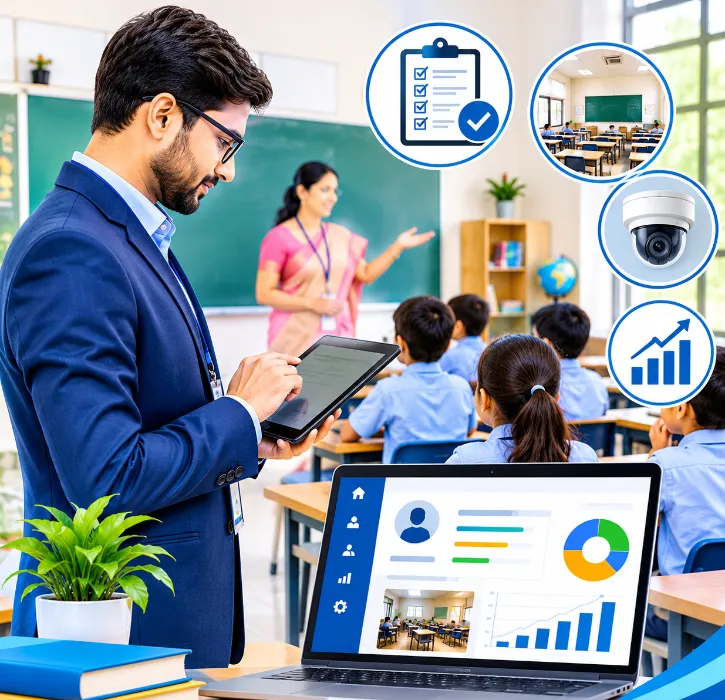
Most principals and coordinators believe in classroom observations. Most also admit they don't do them as often as they'd like. When they do, the feedback sits in a notebook or a file, the teacher gets a short conversation in the corridor, and by the next observation nobody remembers what was agreed.
The problem isn't the intention. It's the system around it. Observations need planning, a consistent format, written feedback and follow-up. Without that, they become occasional inspections rather than a tool for helping teachers grow.
This guide explains how school management software can support a better observation process, and what to look for.
The short answer
A good classroom observation tool inside your school management software should help you:
- plan observations across the term, so every teacher is visited;
- use a consistent observation form that reflects what your school values;
- record notes on a phone or tablet during or right after the visit;
- share specific, written feedback with the teacher;
- agree and track follow-up actions;
- see patterns across a department or the school, not just individual visits.
The aim is support, not surveillance. The software should make good observation habits easier, not turn them into a box-ticking exercise.
Why observations often don't work
Before choosing software, it helps to know why observation programmes struggle.
They're irregular: Observations happen when there's time, which means some teachers are observed often and others rarely.
The criteria aren't clear: If each observer looks for different things, feedback feels random.
Feedback is vague: "Good lesson, work on engagement" doesn't tell a teacher what to change.
There's no follow-up: Without a record of what was agreed, the next observation starts from scratch.
Teachers feel judged, not helped: If observations only appear during appraisal season, they're seen as inspections.
Software can't fix culture on its own. But it can fix the planning, consistency, recording and follow-up that culture depends on.
Step 1: Agree what you're looking for
Start with an observation form that reflects your school's priorities. Many schools use a short set of areas, such as:
- lesson planning and clear learning objectives;
- classroom environment and routines;
- student engagement and participation;
- questioning and checking for understanding;
- use of resources and activities;
- differentiation for different learners;
- use of time.
Each area can have a simple scale (for example, "emerging", "developing", "strong") and space for written notes. Keep it short. A form with 40 criteria won't be filled in properly during a 20-minute visit.
The software should let you design your own form, rather than forcing a fixed template.
Step 2: Plan observations across the term
A schedule makes sure every teacher is observed fairly. Look for:
- a calendar of planned observations by observer and teacher;
- a view of who hasn't been observed this term;
- different types of visit, such as short walkthroughs, full-lesson observations and peer observations;
- links to the timetable, so you can see when a teacher is teaching the class you want to observe.
Step 3: Record during or right after the visit
Notes are best written while details are fresh. A mobile-friendly form lets the observer:
- select the class, subject and teacher;
- score or comment on each area;
- write specific examples ("three students answered all questions; the back row wasn't asked");
- save and come back to finish later.
Step 4: Give feedback the teacher can use
Feedback should be:
- specific: based on what happened in the lesson;
- balanced: what went well, and one or two things to work on;
- actionable: a clear next step.
The software should let the teacher see the written feedback, add their own reflection and agree on next steps. A short face-to-face conversation is still the most important part. The written record makes sure the conversation leads somewhere.
Step 5: Follow up
This is where most programmes fall down. Each observation should end with one or two agreed actions, for example "use exit tickets in three lessons this fortnight". The next observation can then start by checking on those actions.
With records in one place, a coordinator can see the history of observations for each teacher and how their practice has developed over the year.
Step 6: Look for patterns
When observations are recorded consistently, leaders can spot trends:
- Is questioning a weak area across the whole maths department?
- Have engagement scores improved since the workshop on group work?
- Are new teachers getting enough support?
These patterns are useful for planning professional development. They're far more useful than individual scores.
Inspections and audits
Many schools also run academic inspections: checking notebooks, lesson plans, displays or lab records. The same tool can support these, with separate forms for each type of inspection and a record of findings and actions.
Using observations fairly
Observation data is sensitive. To keep trust:
- share observation notes with the teacher they're about;
- separate developmental observations from formal appraisal where you can, or be clear when an observation will count towards appraisal;
- limit who can see observation records;
- train observers so they use the form consistently.
If you do use observations in appraisal, our guide to staff appraisal and HR in an education ERP explains how to combine them with other evidence.
Building an observation form that works
The form decides what observers notice. A form with 40 tick boxes encourages a tick-box visit. A form with a few clear areas and room for specific comments encourages real feedback.
A practical form for most schools might cover five areas, each with a simple scale and space for evidence:
- Planning and purpose: Clear learning objective; activities linked to it.
- Student engagement: How many students are involved; quality of questions and discussion.
- Checking understanding: Questions, quick checks, mini-whiteboards, exit tickets.
- Classroom environment: Routines, use of time, respectful relationships.
- Support for different learners: Help for students who struggle; challenge for those who are ahead.
Keep the scale simple, for example "developing", "secure" and "strong", and require a short piece of evidence for each rating. "Good questioning" says little. "Asked three students to explain their method before giving the answer" tells the teacher exactly what worked.
Agree the form with teachers before using it, and keep the same form for at least a full year. Changing the form every term makes it impossible to see progress.
Peer observations
Not every observation needs to be done by a senior leader. Peer observations, where teachers watch each other teach, are often less stressful and just as useful.
Peer observations work best when:
- the purpose is learning, not judging, and the record is not used for appraisal;
- teachers choose a focus together, such as questioning or group work;
- both teachers observe each other, so the relationship is equal;
- the conversation afterwards is short and specific.
A digital system can still help. Keep peer observation records in a separate category, visible only to the two teachers involved unless they choose to share them. That keeps the trust that makes peer observation work.
A demo checklist
- Build an observation form with your areas: Your criteria, not a fixed template.
- Plan observations for one department this term: Scheduling and coverage.
- Fill in an observation on a phone: Practical during a real visit.
- The teacher's view of feedback: Transparency and reflection.
- Follow-up actions from the last visit: Continuity between observations.
- A department-level summary: Patterns, not just individual scores.
- Who can see observation records: Privacy and trust.
Getting teachers on board
Observation systems succeed when teachers trust them. Before launch, explain why observations are being done, what the form covers, who will see the records and how they will be used. Invite a few respected teachers to help design the form and pilot it in the first term. Share what you learn from the pilot openly, including what you changed because of teachers' feedback.
Above all, make sure the first observations are clearly about support. If the first thing teachers experience is a critical report linked to appraisal, the system will be seen as a threat for years.
It also helps to show teachers what happens to the records. Explain who can read each observation, how long notes are kept and how they feed into professional development rather than salary decisions alone. When teachers see a colleague receive useful support after an observation, and see their own reflections taken seriously, the process stops feeling like an inspection and starts feeling like coaching.
How One Flawless supports observations
One Flawless is a cloud-based school management software built in India and used by 100+ schools. Its academic management modules include Inspections & Observations, alongside:
- lesson planning, so observers can see what was planned for the lesson;
- timetable, to plan when to visit;
- staff appraisal, for schools that link observations to formal reviews;
- dashboards and MIS reports for school leaders.
In the demo, bring your current observation form and ask us to set it up, then fill one in on a phone.
Making time for observations
Observations often slip when the term gets busy. Block observation slots in the leadership timetable at the start of each term, so visits happen as planned rather than only when there's spare time.
Conclusion
Classroom observations work when they're regular, consistent, specific and followed up. Most schools have the intention but lack the system. School management software can provide that system: a shared form, a plan, a record and a history.
Used well, it turns observations from occasional inspections into steady support that helps every teacher improve.
Want to see an observation recorded and followed up? Book a free One Flawless demo or call +91 73036 23733.