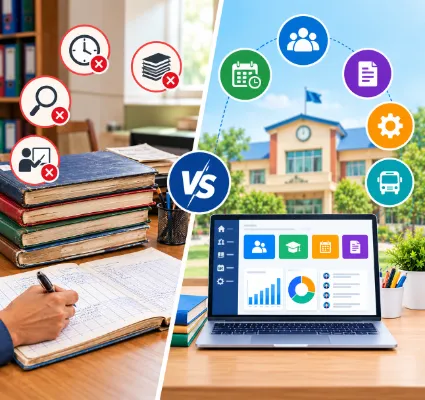
Manual Registers vs School Management Software: Why Schools Are Digitising Administration
There's a green attendance register in most Indian schools that has been in use, in one edition or another, for thirty years. It works. A teacher opens it, ticks names, closes it. Nobody has ever needed to reboot it.
So why are so many schools replacing it?
Not because registers are bad. Because at some point, a growing school starts asking questions the register can't answer quickly: How many children were absent across Class 8 this month? Which of them also have fees pending? Did the parents get told?
This piece compares manual registers with school management software honestly, area by area. Some of what registers do well, they still do well. The goal is to help you see where the line falls for your school, and what school management software benefits actually look like once you cross it.
What we mean by "manual registers"
Physical records maintained by hand: attendance registers, admission registers, fee ledgers, exam mark sheets, visitor books, staff attendance, library issue books, inventory logs, transport lists.
Most schools also run spreadsheets alongside these. Excel is digital, but if the same student appears in five separate files that are updated independently, it's functionally another register. The problem was never paper. It's a disconnection.
What school management software is
One system where related work is connected. A student record is created once, and attendance, fees, exams, transport and communication all hang off it. One Flawless, for example, is a cloud-based school ERP software platform that brings those functions into one place, with a school mobile app for parents, students, staff and transport in-charges.
Registered record. Software records, connects, processes, communicates and reports. That's the whole difference, and everything below is a version of it.
1. Entering data
With registers: the teacher marks attendance in the register. The office copies it into a monthly sheet. Someone else types it into a report. The same student's name is written in the admission register, the fee ledger, the transport list and the exam sheet, separately, by different hands.
With software: the teacher marks attendance once, on a phone or laptop. It's immediately in the report, the parent alert and the dashboard. The student's name was typed once, at admission.
What changes: the copying disappears, and with it most of the transcription errors.
2. Finding information
A parent calls: "What's my daughter's attendance percentage this term, and how much fee is pending?"
With registers: find the class register, count the ticks, calculate the percentage, walk to accounts, find the ledger, add up receipts, call the parent back. Fifteen minutes if everyone's at their desk.
With software: search the student, read two numbers off the profile. Thirty seconds. Or, better, the parent already saw both on the app and didn't need to call.
3. Attendance
With registers: daily ticks, monthly totals by hand, percentages by calculator, absentee lists compiled on request. Parents find out about absences when the diary comes home, or at the PTM.
With software: two taps per class. Daily, monthly and term reports generate themselves. Parents get an alert the moment their child is marked absent. Schools that want to remove manual marking entirely can connect biometric or RFID devices; One Flawless supports both.
4. Fees
This is where manual systems hurt most, because money and trust are both involved.
With registers: a fee register, a receipt book, a bank statement and an Excel sheet, reconciled at month-end by someone who'd rather be doing anything else. Defaulter lists take a day to prepare and are out of date by the time they're printed.
With software: fee structures, instalments, concessions, receipts and outstanding amounts in one ledger. Parents pay through the app via online payment; the receipt generates instantly and the books update themselves. Reminders go out on due dates without anyone pressing send.
5. Examinations
With registers: marks on paper sheets, totals by hand or in Excel, report cards typed or handwritten, errors caught (or not) at the last minute. Result week means late nights.
With software: marks entered directly, grades calculated against your scheme, report cards generated in your format. One Flawless highlights automatic result card generation as a headline feature for exactly this reason.
6. Parent communication
With registers: printed circulars that get lost in bags, phone calls that don't connect, WhatsApp groups that nobody can search and everybody eventually mutes.
With software: one message, sent once, reaching parents through push notification, SMS, email or WhatsApp from a central communication portal. Attendance alerts, fee reminders, homework, exam schedules and results all arrive in the same app. Parents stop guessing.
7. Accessibility
A register is wherever it physically is. If it's locked in the office, the principal at home can't see it and the class teacher on a field trip can't update it.
Cloud software is wherever there's an internet connection. That's a real advantage, and a real dependency: check your connectivity, and ask the vendor about uptime and access controls before you rely on it.
8. Reporting
With registers: management asks for a report; someone collects numbers from six sources and compiles it. Two days later it arrives, already a little stale.
With software: the numbers are already in the system, so the report is a filter, not a project. One Flawless offers live dashboards for attendance, fee collection, academic performance and staffing; the principal opens the app and the answer is there.
9. Accuracy
Manual systems introduce errors through handwriting, mistyped entries, duplicates, missed pages and arithmetic. Software doesn't make errors impossible; a person can still enter the wrong mark. But structured fields, validation rules and automatic calculation remove whole categories of mistakes, and when an error does happen, it's corrected in one place rather than hunted across five.
10. Storage and safety
Registers fill cupboards, fade, tear, get damp, and occasionally go missing along with a decade of records.
Digital records don't. But digital storage brings its own questions: where is the data hosted, how often is it backed up, who can access it, how long is it retained and what happens if the school changes vendors? Ask these before signing, not after.
11. Updating one fact
A parent changes their phone number.
With registers: the admission form, the class register, the fee ledger, the SMS list and the transport sheet each need updating. At least one is missed, and that's the one the emergency call goes to.
With software: change it once on the profile. Every module uses the new number from that moment.
12. Growing
A school of 300 can run on registers and a good office assistant. At 800 the assistant is drowning. At 2,000 the whole admin team is spending its day on reconciliation and the principal is deciding on month-old numbers.
Manual effort grows in step with the school. Software effort mostly doesn't; adding a section is a configuration change, not a new set of ledgers.
What each person gets out of the switch
Management: live visibility, faster reports, one source of truth, better decisions.
Admin staff: less paperwork, faster retrieval, digital admissions, automated reports.
Accounts: clean ledgers, online collection, instant receipts, automated reminders, month-end reconciliation that takes an hour instead of a week.
Teachers: two-tap attendance, lesson planning, homework distribution, marks entry, report cards that generate themselves, and messaging parents without giving out a personal number.
Parents: attendance, fees, homework, results, notices and bus location, all on their phone. GPS bus tracking alone earns more goodwill than most schools expect.
Students: timetables, assignments, exam schedules and results in one place.
Does software eliminate paper completely?
No, and it doesn't need to. Some documents stay physical for legal, regulatory or archival reasons. The point of digitising isn't a paperless school; it's removing paper from the processes where it creates repetitive work and slow answers.
The high-value areas to move first: attendance, admissions, fees, exam records, parent communication, student records and reporting. Everything else can follow your own policies.
The honest challenges of switching
Digitising administration is worth it, but it isn't free of effort. Expect:
-
Training. Teachers and office staff need hands-on sessions, by role, on real data.
-
Data migration. Existing records must be cleaned before they're imported, or you'll be fixing errors on parents' phones for a term.
-
Change resistance. People who've used registers for twenty years won't love week one. A respected teacher who says "this is actually fine" helps more than any memo.
-
Internet dependence. Cloud systems need a reliable connection.
-
Time. Configuration, migration and training take weeks, not days.
-
Cost. Subscription, implementation, hardware and support. Our breakdown of school ERP price in India covers what drives it.
None of these are reasons not to switch. They're reasons to plan the switch properly.
How to move from registers to software without chaos
You don't have to digitise everything at once. A phased approach works better.
-
List the repetitive work. Which tasks eat the most hours each week?
-
Find the duplication. Where is the same data entered twice or more?
-
Pick high-impact modules first. Student records, admissions, attendance, fees, exams, communication.
-
Clean your data. Remove duplicates and fix errors before migration.
-
Train by role. Short, practical sessions on the tasks each person actually does.
-
Pilot. One or two classes for a few weeks, then fix what surfaces.
-
Monitor adoption. Are teachers marking attendance digitally? Are parents installing the app? Adjust where the numbers are low.
We've written a full step-by-step school ERP implementation guide if you want the detailed version.
When is it time to switch?
You've probably outgrown registers when several of these are true:
-
Staff spend more time preparing reports than acting on them.
-
The same student information lives in three or more places.
-
Parents call the office for things they should be able to see themselves.
-
Fee reconciliation takes days each month.
-
Result preparation means overtime every term.
-
Records are hard to find, and occasionally lost.
-
Different departments hold different versions of the same fact.
-
Management can't get today's numbers today.
Two or three of those is a signal. Five or more is a decision that's already been made; you're just delaying it.
The practical difference, in one line
Registers are document-based. Software is workflow-based.
A register holds information. A school ERP software platform holds it, connects it, processes it, tells the right people and reports on it. The bigger the school, the more that difference matters.
Conclusion
Manual registers have carried Indian schools for generations and still make sense for small, simple operations. But as a school grows, the volume of information and the coordination it needs grow faster than any office team can keep up with by hand.
That's when the benefits of school management software stop being theoretical: less time on paperwork, faster answers, cleaner fees, informed parents and a management team that can see the whole school at once.
If you're weighing the move, start by listing the three processes that cost your office the most time this month. Then judge any platform, One Flawless included, on whether it fixes those. When you'd like to see the comparison with your own data, book a free demo.

